If your microphone appears to be switched off on your iPhone, it’s simple to turn it back on. Here’s where to look and how to enable your microphone.
1. Open Settings.
2. Tap Privacy.
3. Tap Microphone.
4. Toggle Access per App.
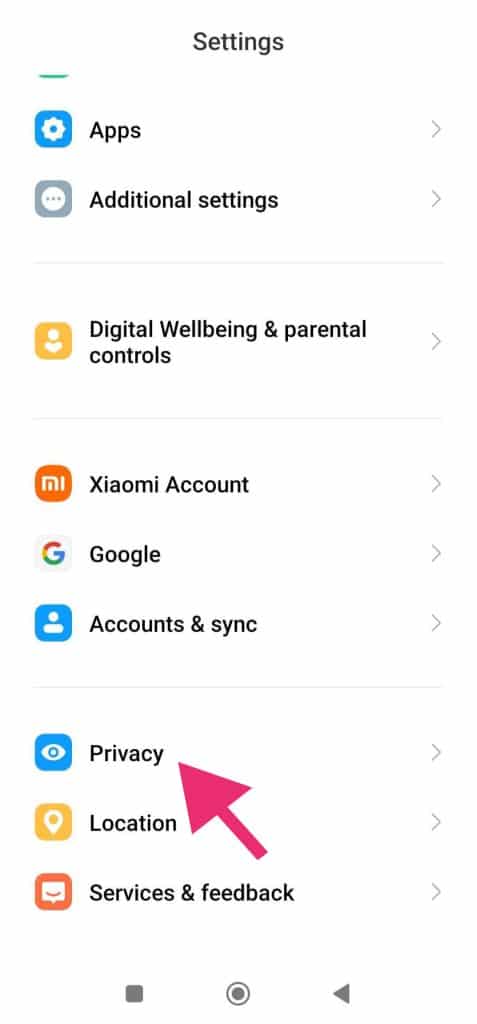
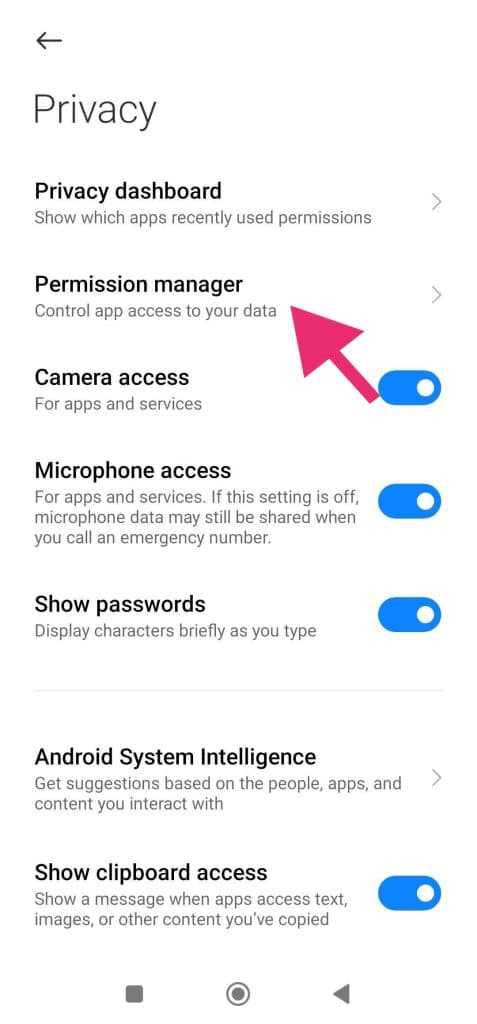
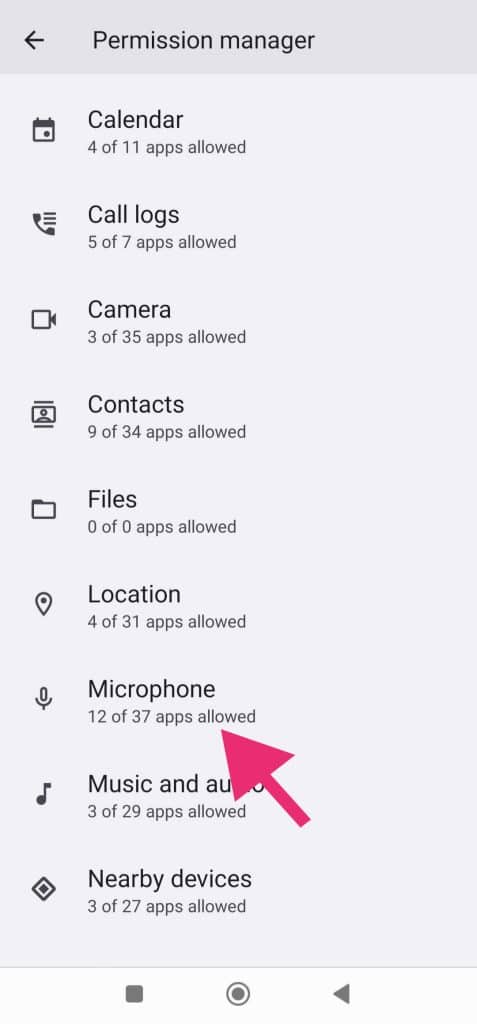
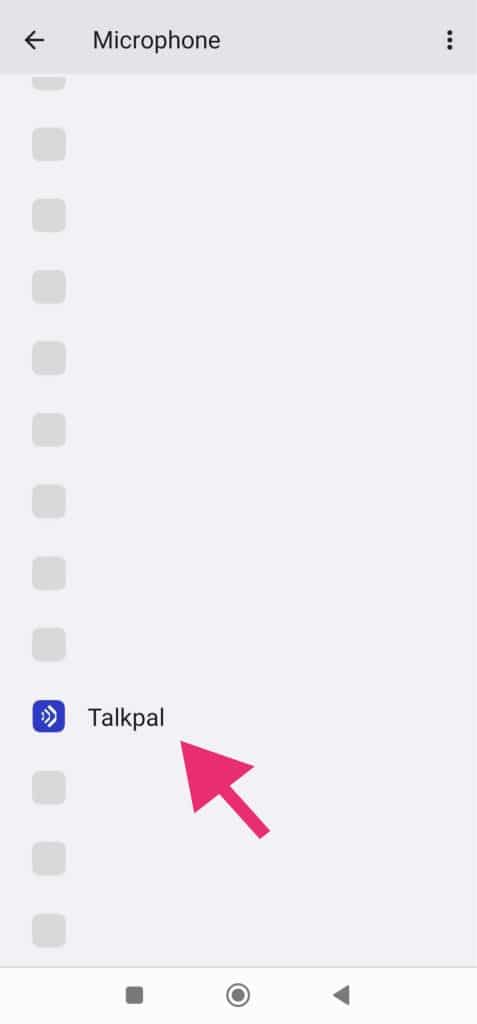
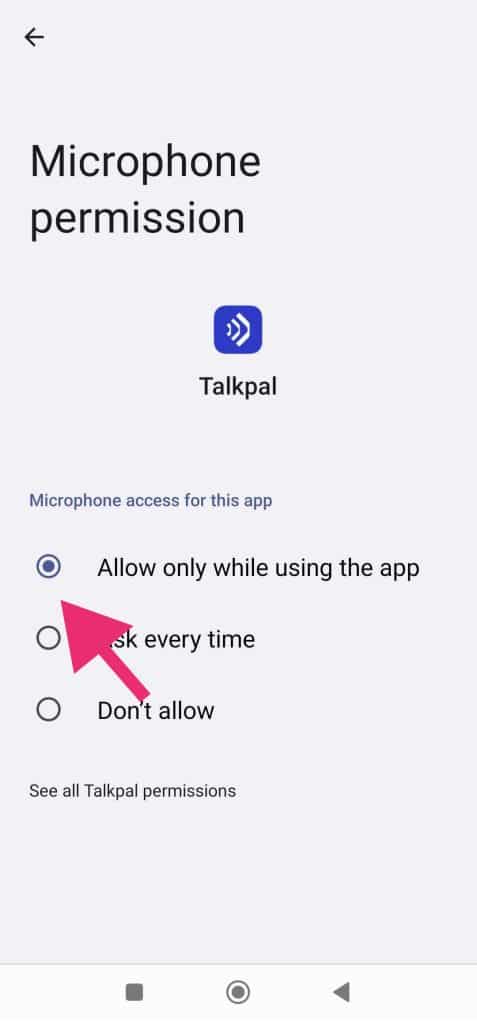
If your microphone appears to be switched off on your Android phone, it’s simple to turn it back on. Here’s where to look and how to enable your microphone.
1. Tap Settings.
2. Tap Privacy.
3. Tap App Permissions.
4. Tap Microphone.
5. Tap Talkpal.
6. Choose Allow.
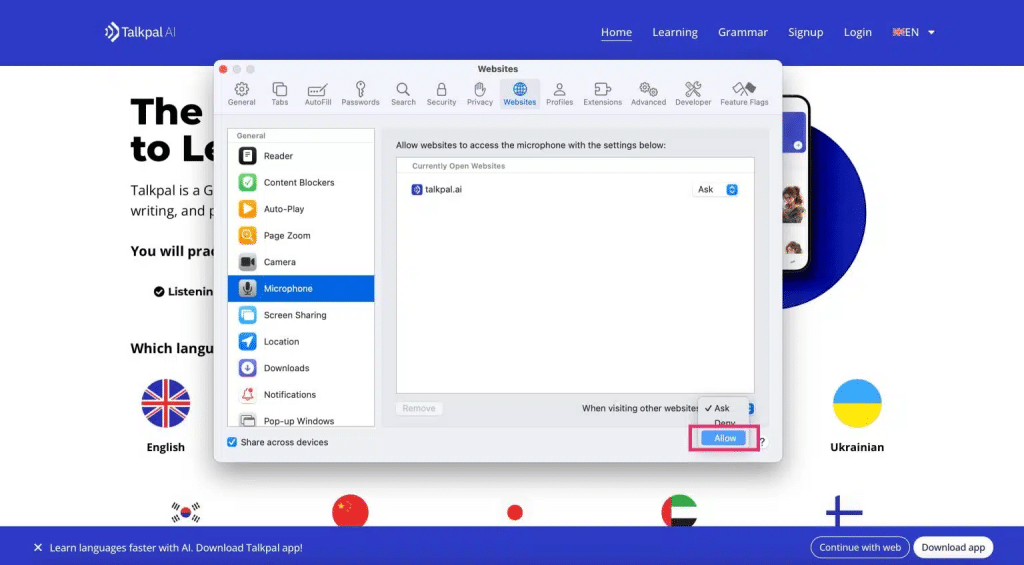
1. Open Safari Settings.
2. Navigate to Websites.
3. Go to the Camera and Microphone tabs.
4. Change access to Allow.
5. Restart Safari.
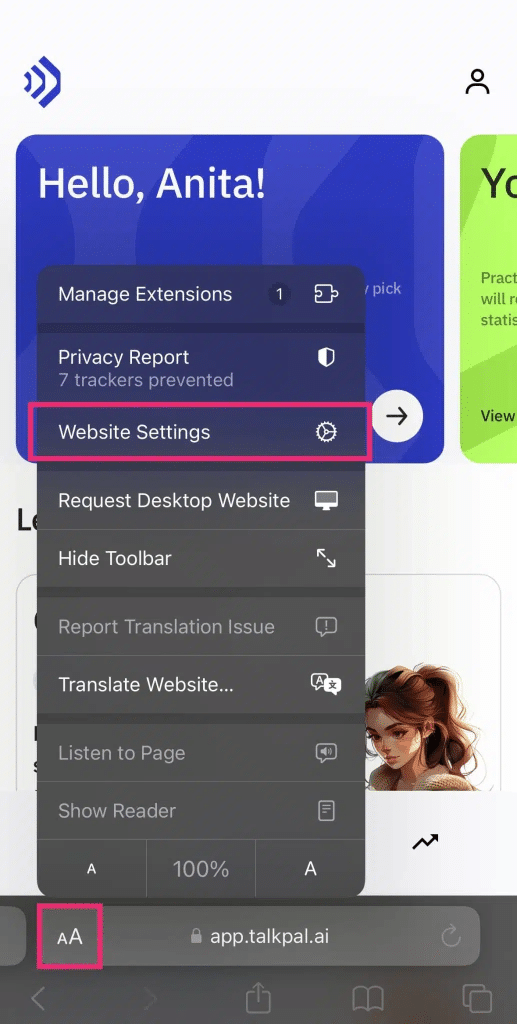
On your iPhone
1. On your browser call tab, tap on the AA icon at the bottom left.
2. When the popup menu appears, select Website Settings.
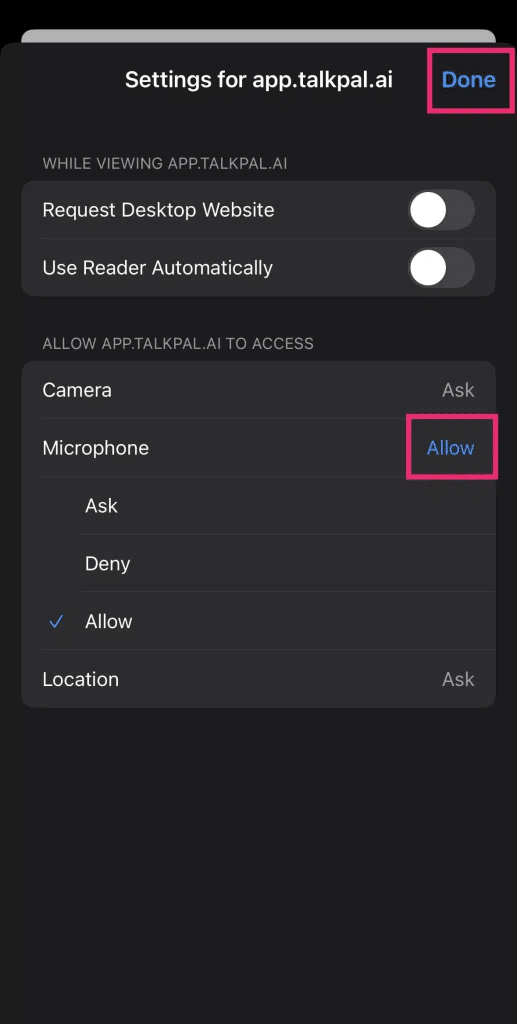
3. When the settings window opens, ensure your Camera & Microphone are both set to Allow.
4. Select Done to save the new settings.
IMPORTANT:
– Make sure no other applications are using the camera or microphone at the same time. Restarting the browser or device might also help.
– Make sure you are using the most recent version of the browser.
On your Computer
1. Open Chrome .
2. At the top right, click More > Settings.
3. Click Privacy and security > Site settings > Camera or Microphone.
4. Select the option you want as your default setting.
1. On your Android device, open the Chrome app .
2. To the right of the address bar, tap > Settings.
3. Tap Site Settings.
4. Tap Microphone or Camera.
5. Tap to turn the microphone or camera on or off.
If you see the site you want to use under Blocked, tap the site and then Access your microphone and then Allow.
You have to give permission to your Chrome App via Settings (see ‘Instructions for iPhone Users’).
Talkpal is an AI-powered language tutor available on web and mobile platforms. Accelerate your language fluency, chat about interesting topics by writing or speaking, and receive realistic voice messages wherever and whenever you want.
Talkpal, Inc., 2810 N Church St, Wilmington, Delaware 19802, US
© 2026 All Rights Reserved.