What is Word Mode and how do I use it? - Talkpal
Help Center

What is Word Mode and how do I use it?

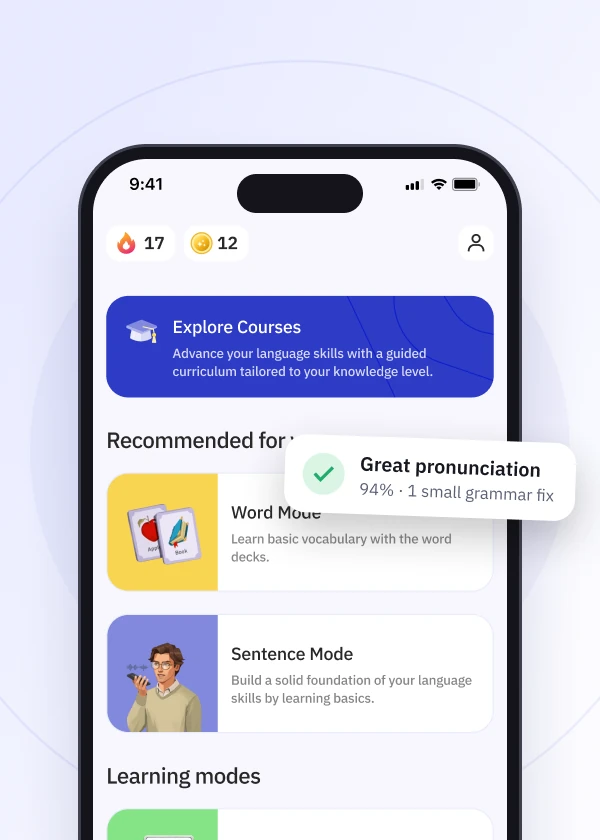
Word Mode is a beginner-friendly feature designed to help you build essential vocabulary in a fun and engaging way. It uses images to introduce new words, making learning more visual and intuitive. You can also practice pronunciation by speaking each word out loud. Available for selected languages, Word Mode is perfect for mastering the basics and starting your language-learning journey with confidence.

How to Use Word Mode:

  • Start a unit: Each unit includes a set of words related to a theme (like food, colors, or everyday objects), each shown with a picture to help you visualize the meaning.
  • Practice pronunciation: Tap the microphone icon and pronounce each word. Talkpal gives you feedback so you can improve your pronunciation as you go.
  • Repeat and review: Practice different words in each unit. You can go back to repeat units as often as you like to reinforce learning.
  • Adjust voice speed: You can slow down or speed up the pronunciation of each word by adjusting the voice speed in the settings. This helps you hear the words more clearly and practice at your own pace.
Download talkpal app

Learn anywhere anytime

Talkpal is an AI-powered language tutor available on web and mobile platforms. Accelerate your language fluency, chat about interesting topics by writing or speaking, and receive realistic voice messages wherever and whenever you want.
Talkpal app The fun and effective way to learn a language with AI

Scan with your device to download on iOS or Android

Talkpal app The fun and effective way to learn a language with AI

Get in touch with us

We are always here if you have any questions or require assistance. Contact our customer support anytime at support@talkpal.ai

Languages

Learning

Partnerships

Company


Talkpal, Inc., 2810 N Church St, PMB 54222, Wilmington, Delaware 19802, US

© 2026 All Rights Reserved.

GDPR compliant

Trustpilot